Top 5 tools for Academic Writing tools in 2026
Sun Dec 07 2025
Francis Michael

Introduction
Academic writing is a demanding process that requires clear thinking, strong structure, precise language, and careful citation. Researchers and students often struggle with getting started, organizing ideas, maintaining an academic tone, and managing references, all while working under tight deadlines. Turning complex research into polished, publication-ready text can be slow and mentally exhausting.AI-powered academic writing tools are helping ease this burden. Instead of replacing researchers, these tools act as intelligent assistants by generating outlines, suggesting sentences, refining language, summarizing papers, and handling citations automatically. By reducing repetitive and time-consuming tasks, AI allows writers to focus more on analysis and original thinking.In this article, we explore the top AI tools for academic writing and how they can significantly speed up the writing process while maintaining academic quality.
1. Jenni AI: Your Academic Writing Co-Pilot
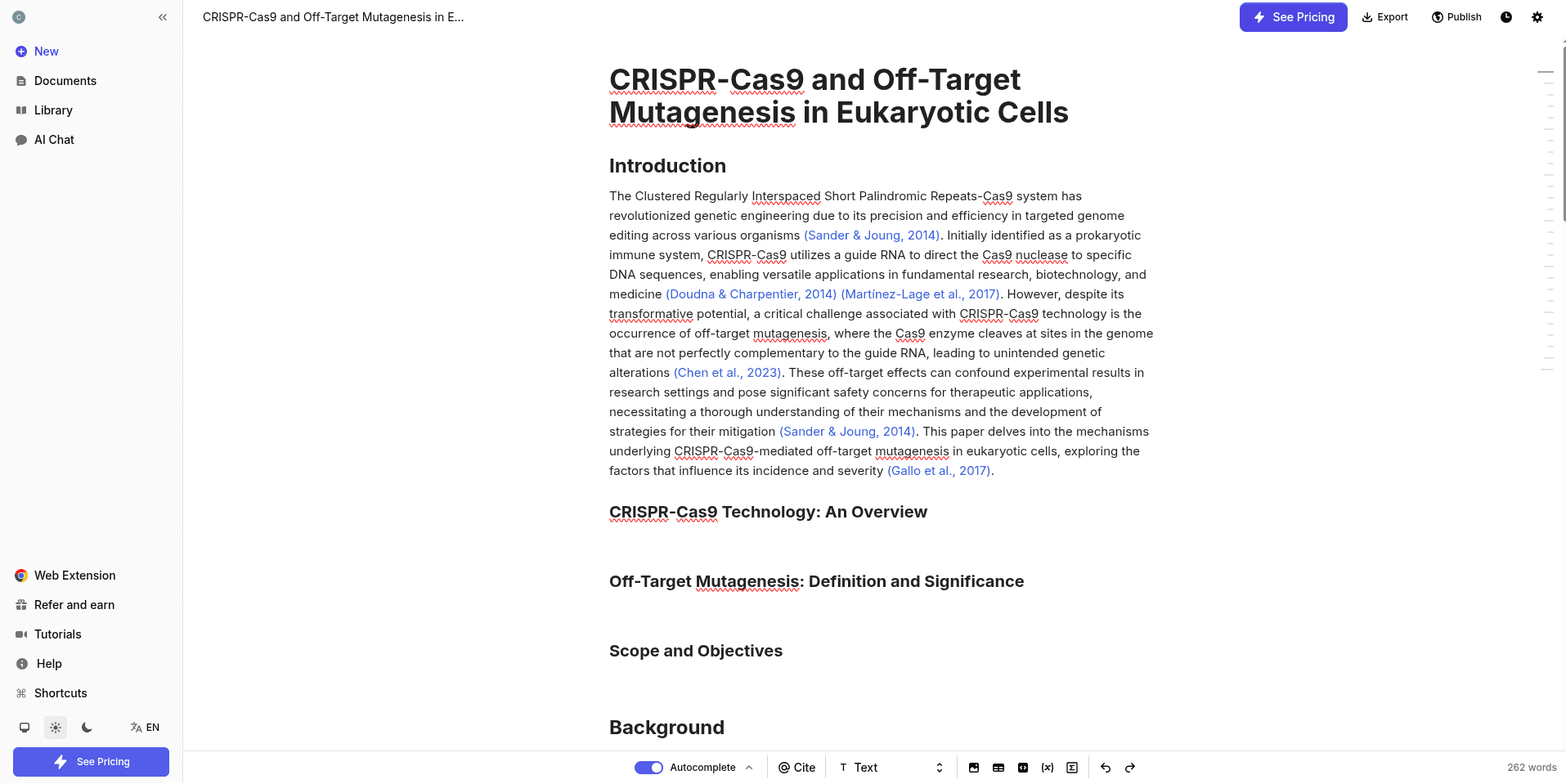
Description Jenni AI is a sophisticated AI writing and research assistant designed primarily to help academic researchers and students draft content quickly while keeping it grounded in their sources. It acts as an AI co-pilot, sitting directly in your document and completing sentences or generating entire paragraphs in real-time. Its key strength is the deep integration of a personal Research Library (PDFs and sources) that the AI uses to provide cited, factual responses.
Key Features
AI Autocomplete Jenni’s standout feature. As you type, it suggests the next sentence or paragraph, helping you push past writer’s block and keep momentum.
Research Library Upload PDFs, organize your sources, and chat directly with your papers to extract insights or clarify details.
Source-Based Writing All writing suggestions are grounded in your uploaded documents, which helps reduce hallucinations and keeps content relevant.
Advanced Citation Management Automatically creates in-text citations and reference lists in over 2,600 citation styles, with clear links back to the original source and even specific pages.
Outline Builder and Thesis Generator Helps you plan your paper before writing, from shaping your main argument to structuring sections.
Paraphrasing and Rewriting Tools Improve clarity, tone, and conciseness in existing text without changing the meaning.
Plagiarism Checker A built-in tool to help ensure your work remains original.
Agentic AI Chat A conversational assistant that can summarize papers, answer research questions, and generate ideas based on your own sources.
2. Paperpal: The Academic Editing and Submission Expert
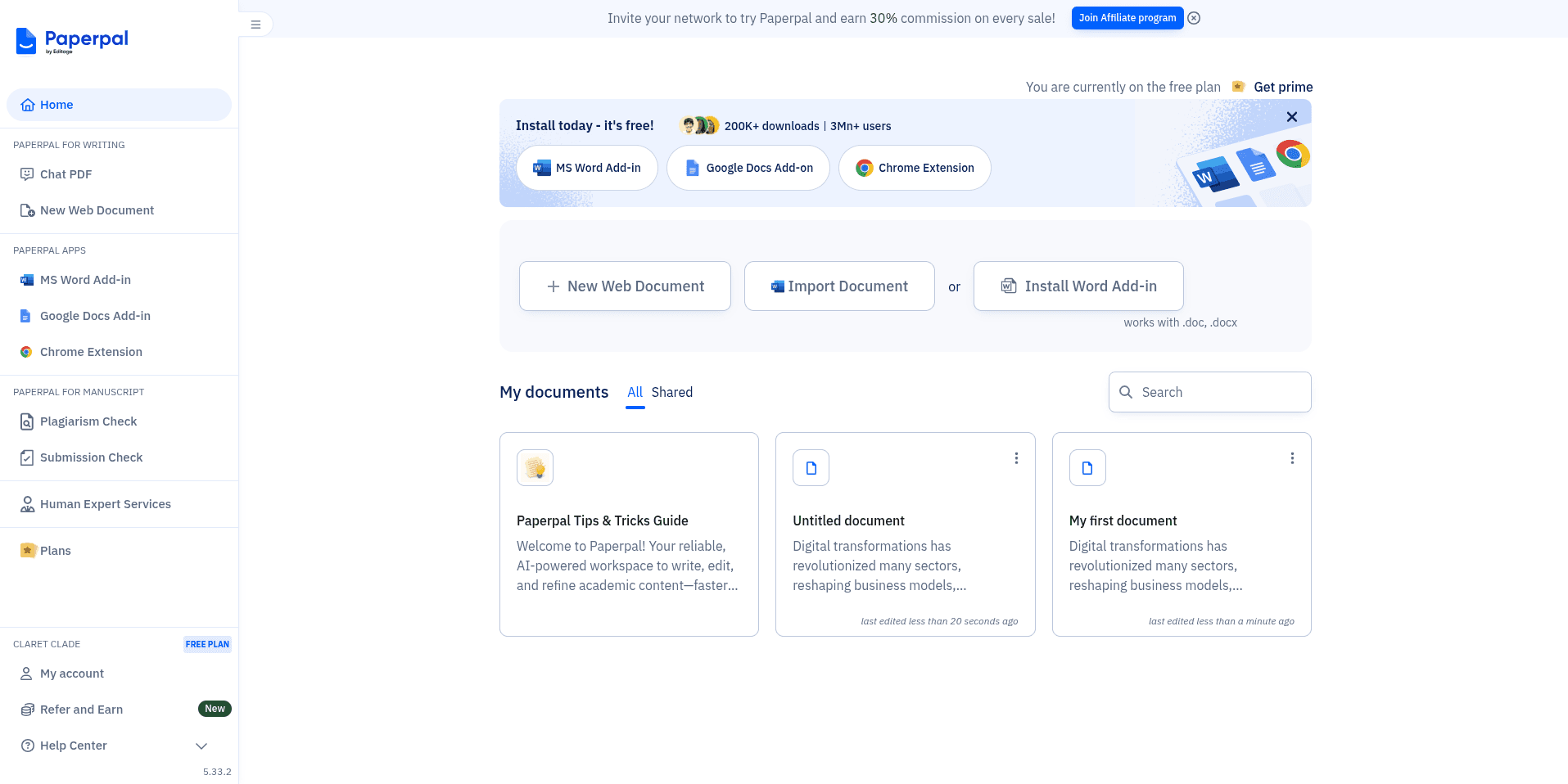
Paperpal is an AI writing and editing tool specifically tailored for high-stakes academic and scientific manuscripts (like journal articles, theses, and grant proposals). It goes beyond standard grammar checking, focusing on language refinement, academic tone, and crucial technical checks required before submission to academic journals. It is ideal for non-native English speakers and researchers polishing a final draft.
Key Features
Real-Time Language Correction Advanced grammar, spelling, punctuation, and style checks tailored specifically for academic and scientific writing.
30+ Submission Checks (Prime Feature) Reviews your manuscript for common journal requirements such as ethical statements, conflict of interest sections, and formatting issues to reduce the risk of desk rejection.
AI Writing Assistant (Copilot) Helps generate outlines, abstracts, titles, or turn rough notes into clear, structured paragraphs.
Academic Paraphraser Rewrites text to improve flow, maintain a formal academic tone, and reduce word count when needed.
Research and Cite Search and cite from a massive database of over 250 million research papers, with support for more than 10,000 citation styles.
Chat with PDF Upload papers and ask Paperpal to summarize, critique, or extract key data and insights.
Integrations Works inside Microsoft Word, Google Docs, and Overleaf, making it easy to fit into existing workflows.
Plagiarism Checker Built-in similarity detection to help confirm originality before submission.
3. Yomu AI: The Structured Academic Writer
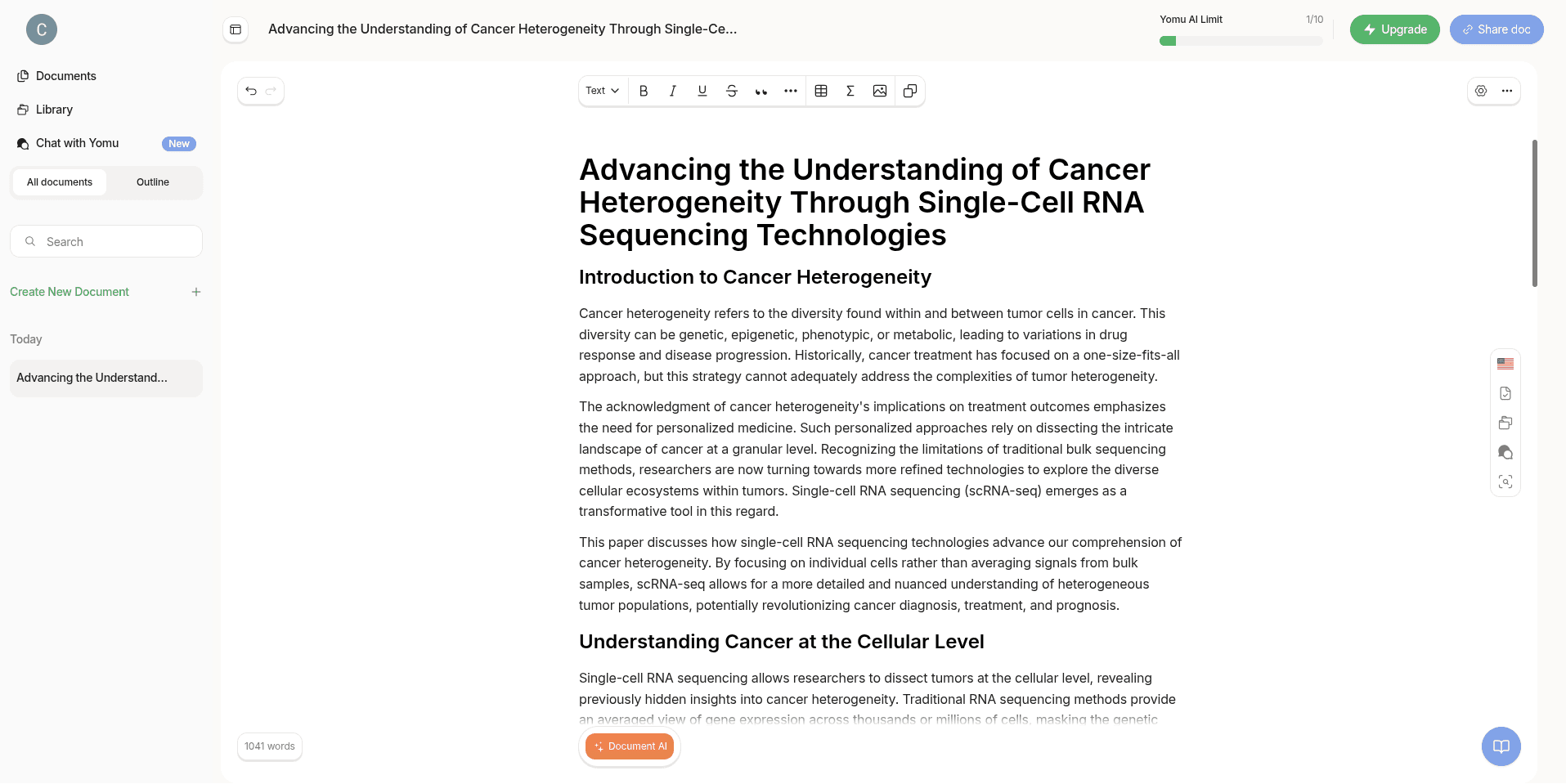
Yomu AI positions itself as an intelligent document assistant focused on structured academic writing and efficiency. It aims to help students and researchers quickly produce high-quality essays, papers, and theses by providing tools for outlining, drafting, and managing sources within a clean, focused workspace. Its model is built to ensure outputs adhere to formal academic structure and tone.
Key Features
Intelligent Document Assistant Helps draft complete sections such as abstracts and introductions, while also offering feedback on structure.
AI Autocomplete and Copilot Provides context-aware sentence and paragraph suggestions to speed up the writing process.
Paraphrasing and Summarization Refines existing text, converts it into a more academic tone, and shortens long sections when needed.
AI-Powered Citation Tool Formats in-text citations and reference lists in major academic styles like APA, MLA, and Chicago.
Source Library Management Store and reuse references across multiple projects, which is useful for long-term research work.
Advanced Plagiarism Checker Scans your work against large databases to help ensure originality.
Chat with Yomu AI Ask questions about your research, citations, or uploaded PDFs through a conversational interface.
4. QuillBot: The All-Purpose Language Polisher
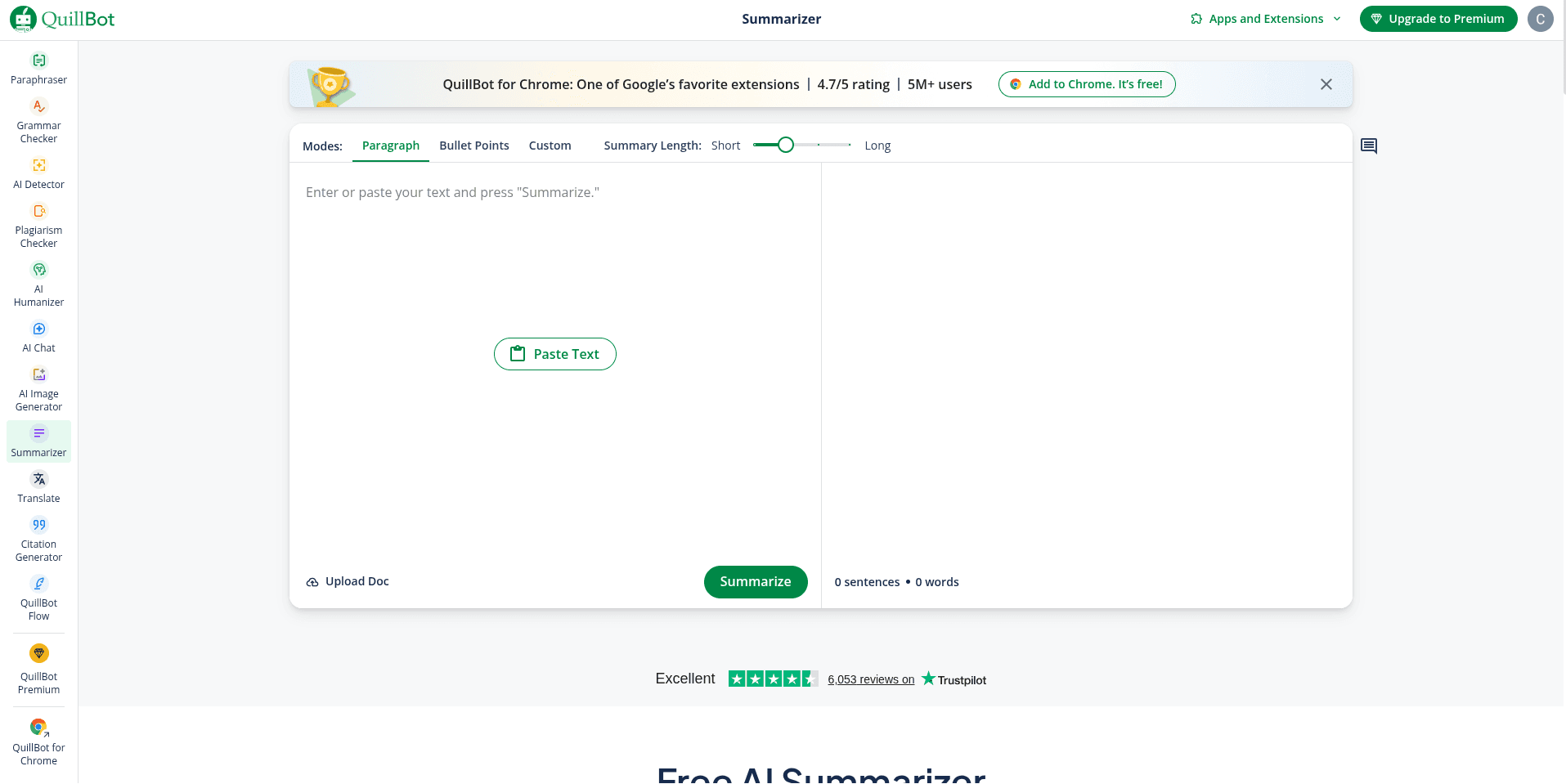
QuillBot is best known as a highly versatile paraphrasing tool that has expanded into a full suite of general writing and research utilities. Its primary function is to rephrase text in various tones and styles to improve fluency, clarity, and ensure variety in language. While it has academic features, its core strength lies in its ability to quickly and effectively manipulate language at the sentence and paragraph level for various audiences, not just academic ones.
Key Features
Paraphrasing Tool The core feature, with multiple modes such as Standard, Fluency, Creative, Academic, and Shorten, allowing you to rewrite text instantly in different styles.
Grammar Checker Fixes grammar, spelling, and punctuation issues across documents.
Summarizer Turns long articles or research papers into concise summaries or key points.
Citation Generator Quickly creates in-text citations and reference entries in common styles like APA, MLA, and Chicago.
Plagiarism Checker Scans text against web and academic sources to identify potential overlap.
AI Chat A general-purpose assistant for brainstorming, research help, and content generation.
QuillBot Flow (Co-Writer) A single workspace that combines paraphrasing, summarization, and citation tools in one place.
AI Humanizer Helps make AI-generated text sound more natural and less robotic.
AI Research Writing Tools Comparison
Feature | Jenni AI | Paperpal | Yomu AI | QuillBot |
Primary Focus | Real-time AI co-pilot designed to assist with academic drafting while staying connected to user-uploaded sources. Best suited for early-stage writing and idea expansion. | Academic editing and manuscript readiness for journal submission, with a strong emphasis on language quality and compliance checks. | Structured academic writing support that helps users generate well-organized essays, papers, and theses efficiently. | Language refinement tool focused on paraphrasing, grammar correction, and improving fluency across many types of writing. |
Core AI Capability | AI Autocomplete that predicts and generates the next sentence or paragraph directly inside the document, helping maintain writing flow. | Context-aware language suggestions that improve grammar, tone, clarity, and academic style during revision. | Intelligent document assistant that can draft entire sections such as abstracts, introductions, and literature review segments. | Multi-mode paraphrasing engine that rewrites sentences and paragraphs in different tones (standard, fluency, academic, creative). |
Citation & Referencing Support | Advanced citation generation with in-text citations and reference lists in over 2,600 styles. Includes a Research Library for managing PDFs and linking citations back to sources. | Comprehensive citation support with access to 250M+ research papers, 10,000+ citation styles, and citation extraction directly from PDFs. | Strong citation formatting support for major academic styles (APA, MLA, Chicago), combined with basic source management across documents. | Basic citation generator for common styles such as APA, MLA, and Chicago, mainly for bibliography creation rather than research analysis. |
PDF & Source Analysis | High level of source grounding. Users can upload PDFs, organize collections, and chat directly with documents for summaries and answers tied to specific sources. | High-quality PDF interaction, including summarization, critique, and insight extraction, especially useful during manuscript revision. | Moderate PDF support with document chat and summarization, primarily aimed at assisting writing rather than deep analysis. | Limited. Documents can be imported into the Flow workspace, and long texts can be summarized, but with minimal source reasoning. |
Outlining & Structural Support | Excellent planning tools, including an Outline Builder and Thesis Generator that help define arguments and paper structure before drafting. | Good structural assistance through AI-generated outlines, abstracts, and titles, alongside submission-focused checks. | Excellent structure-first approach, with pre-built academic templates and auto-generated key sections from prompts. | Limited academic structuring. Flow provides a unified workspace, but outlining is not discipline-specific or research-driven. |
Editing & Proofreading Quality | Real-time writing suggestions combined with paraphrasing and rewriting tools to improve clarity and coherence. | Best-in-class academic editing, with strong focus on formal tone, technical language, and journal-ready presentation. | Solid grammar, syntax, and style correction, along with tools for expanding, condensing, and rephrasing content. | Excellent for sentence-level editing, with a powerful grammar checker, paraphraser, and style refinement tools. |
Plagiarism Detection | Available in premium plans to check originality against supported databases. | Built-in similarity checking designed for academic manuscripts and journal submissions. | Advanced plagiarism checker included to help ensure originality. | Available in premium plans, primarily scanning web and selected academic sources. |
Integrations & Workflow | Web-based editor with an embedded writing experience focused on drafting inside a single workspace. | Deep integrations with MS Word, Google Docs, and Overleaf, making it ideal for LaTeX and journal-heavy workflows. | Web-based editor with a distraction-free writing environment. | Web app, Chrome extension, and MS Word integration for flexible, everyday writing use. |
Best Fit For | Researchers and students who want help drafting while staying close to their uploaded sources. | Researchers preparing manuscripts for submission who need language precision and compliance checks. | Students and early-stage researchers who value structure and guided academic writing. | Anyone needing fast language cleanup, paraphrasing, or rewriting across different contexts. |
Limitations for STEM Research | Limited cross-paper analysis and trend detection across large bodies of literature. | Focuses on polishing rather than literature discovery or research gap analysis. | Emphasizes structure over deep scientific comparison or methodological analysis. | Not designed for research reasoning, evidence comparison, or literature synthesis. |
Pricing & Feature Breakdown
Here is a breakdown of the free and premium tiers for Jenni AI, Paperpal, Yomu AI, and QuillBot based on the latest available information (note that prices are generally billed annually for the lowest monthly rate).
Jenni AI
Plan | Price (Billed Annually) | Key Features & Limits | Best For |
Free | $0 | Very Limited: 10 AI Autocompletes/day, 10 PDF uploads, Limited AI Chat/Edits. Partial document export. | Trying out the Autofill functionality for a single session. |
Unlimited | ~$12/month (or $144 billed annually) | Unlimited: AI Autocomplete, PDF uploads, AI Chat/Edits. Full document export , live chat support, access to the latest features. | Researchers and students who draft papers frequently and need heavy, consistent AI assistance throughout the writing process. |
Team/Institutional | Custom Quote | Includes all Unlimited features plus dedicated support, usage analytics, multi-seat discounts, and coaching. | Universities, research labs, or large groups needing central billing and support. |
Paperpal
Plan | Price (Billed Annually) | Key Features & Limits | Best For |
Free | $0 | Limited Editing/Writing: 200 uses/month for Language Editing, 5 uses/day for Generative AI (writing), Standard Plagiarism check (7,000 words/month). | Quick fixes, testing the academic tone, or light use for general paper polishing. |
Prime | ~$11.50/month (or $139 billed annually) | Unlimited Language Editing/Consistency (30+ Submission Checks), Unlimited Generative AI, Unlimited Research Q&A and Chat with PDF. Detailed Plagiarism Check (10,000 words/month). | Users preparing manuscripts for journal submission who need the highest level of academic language and technical rigor. |
Multi-Year/Teams | Multi-year savings are available (e.g., $8/month for a 3-year plan). Team discounts start at 10% off. | Offers greater cost savings and is designed for stable long-term use. | Graduate students or researchers with multiple large projects spanning several years. |
Yomu AI
Plan | Price (Billed Annually) | Key Features & Limits | Best For |
Starter | ~$9 (One-Time Payment) | Very Limited: 10 AI actions with the basic GPT-4o mini model. | A brief one-off trial to see if the interface and writing style suit you. |
Pro | $11/month (billed annually) | Unlimited AI Actions using mid-level models (GPT-4o-mini, Claude Haiku, etc.). Advanced Chat AI (Chat with PDF, web search). | Students needing unlimited writing/editing capacity using efficient, fast AI models. |
Ultra | $18/month (billed annually) | Includes everything in Pro, plus access to Frontier Models (like GPT-4o and Claude Sonnet) for heavier, higher-quality research workflows. | Users who prioritize the highest possible quality and sophistication of AI-generated academic text. |
Quillbot
Plan | Price (Billed Annually) | Key Features & Limits | Best For |
Free | $0 | Limited Paraphrasing: 125-word limit, 2 Paraphraser modes, basic Grammar Checker. 1,200-word Summarizer limit. | Quick, short-form paraphrasing, or basic grammar checks. |
Premium | ~$8.33/month (or $99.95 billed annually) | Unlimited Paraphrasing , Unlimited Paraphraser modes (9+), Advanced Grammar recommendations, Plagiarism Checker (25,000 words/month), up to 6,000-word Summarizer limit. | Anyone who needs to rephrase large amounts of text regularly, improve fluency, and check for accidental plagiarism. |
Summary of Cost-Effectiveness
Lowest Barrier to Entry: QuillBot has the most generous and useful free plan for basic, quick language refining.
Most Economical for Unlimited Drafting: QuillBot Premium is the cheapest for unlimited use of its core tools (paraphrasing/editing) at about $8.33/month.
Best Value for Academic Research/Drafting: Jenni AI Unlimited at $12/month offers the best balance for high-volume drafting and source integration (PDFs, citations).
Best for Journal Submission: Paperpal Prime at $11.50/month is arguably the best value if your primary goal is to pass submission checks and ensure high-level academic language quality.
Academic writing will always require critical thinking, domain expertise, and original insight. However, the tools used to support this process are evolving. AI-powered academic writing tools have moved beyond basic grammar checks to offer real assistance with drafting, structuring, editing, and citation management. When used thoughtfully, they can reduce friction, save time, and make the writing process far more manageable.
Each tool covered in this article serves a different purpose, from early-stage drafting and language refinement to submission-ready editing. The key is choosing the right tool based on where you are in the writing process. For students and researchers alike, AI is no longer just a convenience but a practical aid that can help transform ideas into clear, well-structured academic work more efficiently.